
Google Business Profile Video Verification for Performing Artists
When Google asks for a video verification of your Google Business Profile, a clear, honest walkthrough helps reviewers see that your music business is real—especially when you work from home between gigs.
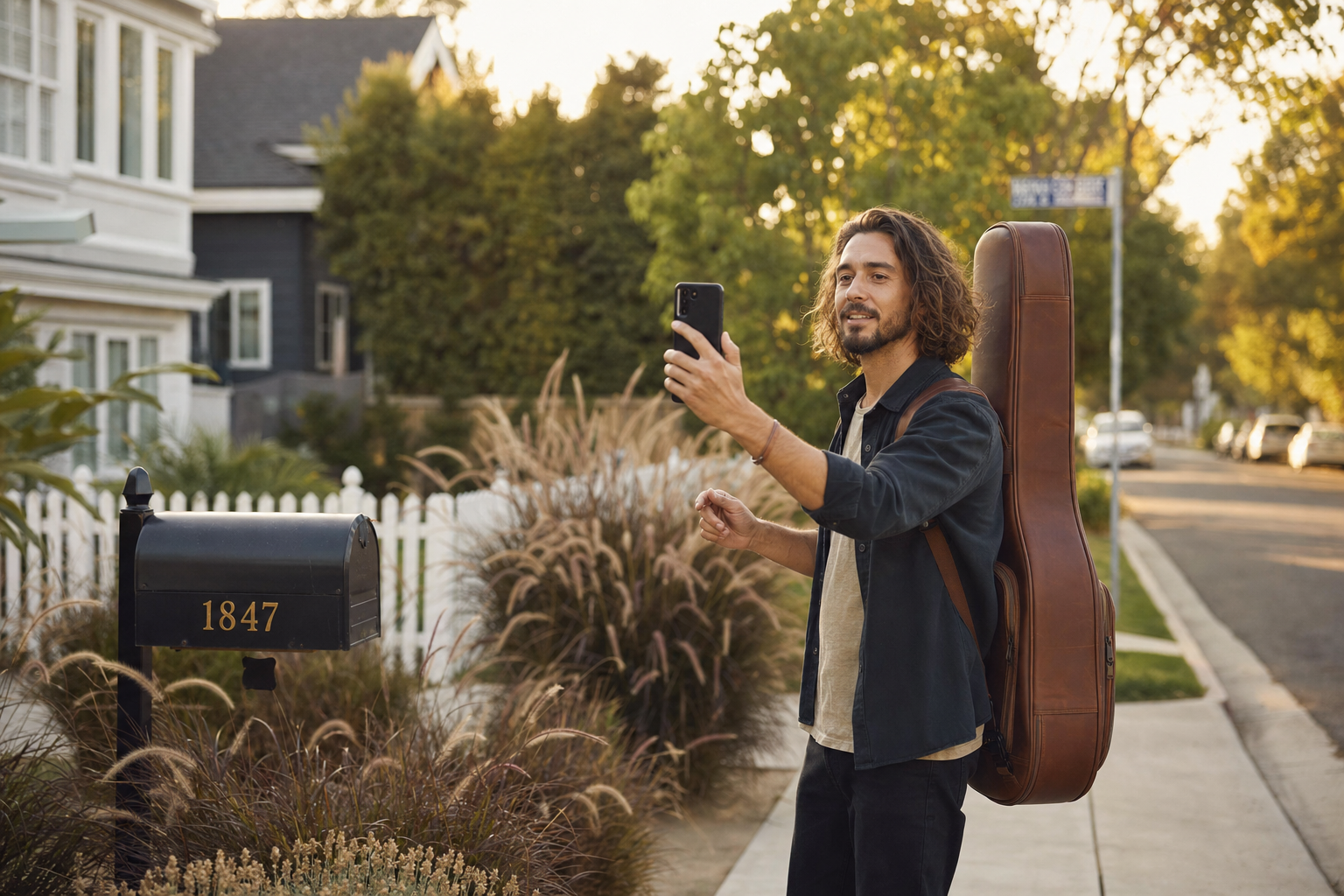
Think of the video as a single, continuous tour: street → how you enter → where you actually run the business.
Video verification is not about cinematic production; it is about evidence. For musicians, solo artists, DJs, and bands who list a residential address (often hidden later as a Service Area Business), the same core pattern applies as for other home-based operators: show the outside that matches the address, prove you can enter, then show the workspace and materials that match what your profile says you do.
Policies and app flows change; always follow the exact instructions in Google Business Profile Help and in the verification prompt. This article translates the usual expectations into a process that fits performing artists so you can plan your shot list before you tap record.
1. Start Outside and Tie the Address to the Real World
Begin the recording outside, at street level, not inside your foyer. Google is looking for proof that the address on the listing corresponds to a real place.
Include as much of the following as you safely can:
- The street sign (or equivalent visible street name where you live)
- House numbers on the mailbox, post, or building
- The front of the house or the main entrance of your apartment or condo building (if your unit number is not on the exterior, film what is visible and continue the story at the door)
Why it matters: This sequence shows the property exists and lines up with what you submitted.
Filming tip: Use a slow, steady pan from the street sign toward your entrance so the relationship between the sign and the property is obvious in one continuous shot. If you are in a dense neighborhood, briefly hold the frame on numbers or a unique landmark near your entrance so the reviewer can follow the path.
2. Unlock and Enter to Prove You Control the Location
Next, Google typically wants to see that you are not filming a random facade—you actually operate from or legitimately base the business there.
Show yourself:
- Walking from the public view toward the door you use
- Unlocking with a key, key fob, or code you clearly use as a resident (whatever is normal for your building)
- Opening the door and stepping inside
If a partner or roommate opens the door while you film, that can still work if the flow stays one uninterrupted recording and it is obvious you are entering your own residence or authorized workspace. The goal is continuity and authenticity, not a Hollywood entrance.
3. Show Where the Music Business Actually Happens
Once inside, move to the space that best represents where you run the business. For performers, that is often more than a single desk.
Examples that read well on camera:
- A home studio or practice area with instruments, stands, cables, and speakers
- A desk with your computer, audio interface, and headphones
- A DAW or production screen (avoid flashing private client data; blur or use a neutral project)
- Storage for cases, backline, merch, or cables
- Riders, set lists, or charts on a stand or board (again, hide personal phone numbers or sensitive contract lines)
If your work is mostly booking, production, and admin from home while you perform off-site, lean into that truth: show the workstation, calendar or tour-style schedule you use to run the act, and tools such as your booking inquiry workflow or Gig Portal dashboard on screen. You are proving a real operating business, not pretending you have a retail storefront.
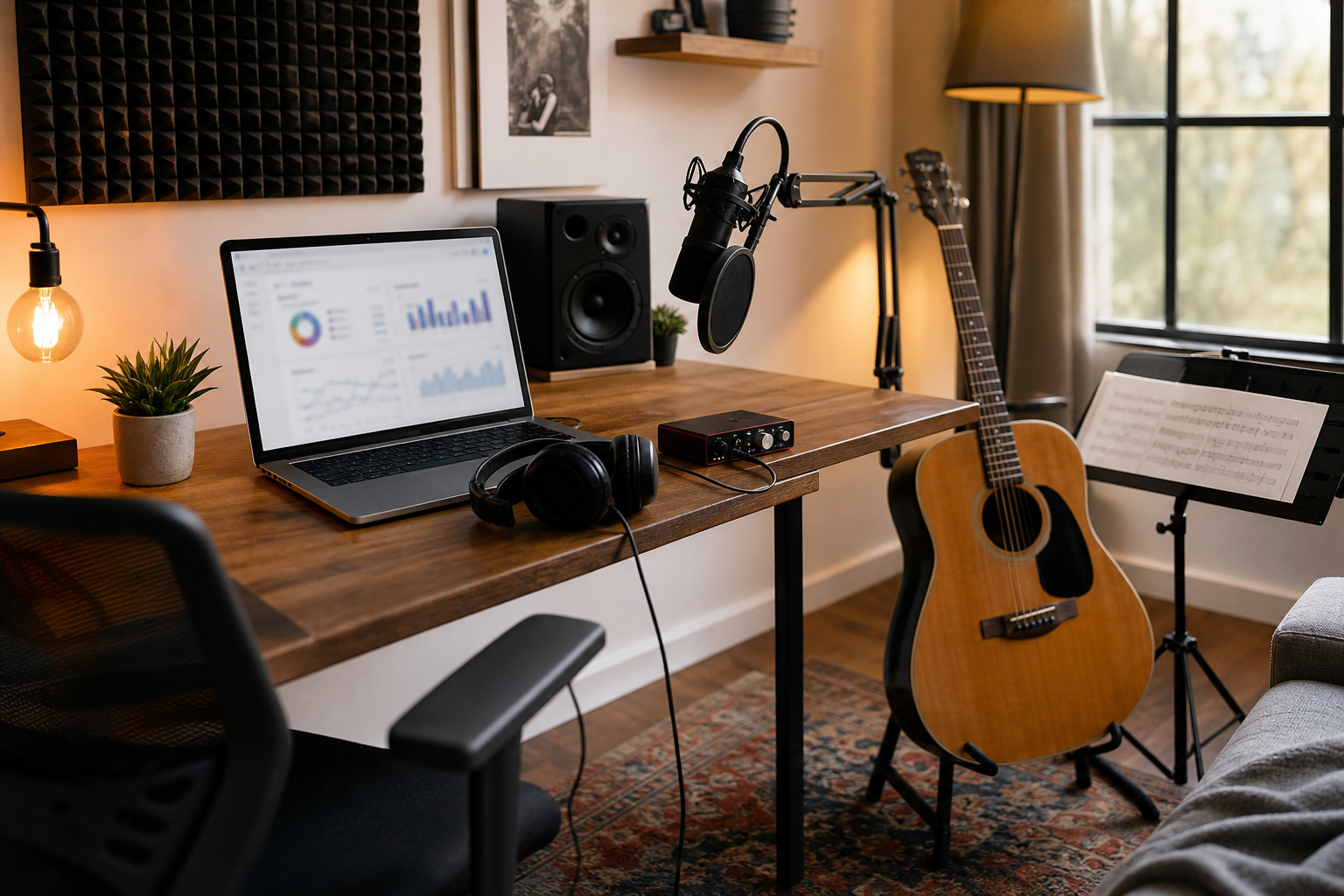
A believable workspace for an artist often mixes admin and creative gear—show both if that is how you really work.
4. Show Proof the Entertainment Business Is Yours
Layer in artifacts that match your public name and category (band, musician, DJ, etc.). You do not need everything below; pick what is true and legible on camera.
- Business cards or laminates with your stage or act name
- Printed invoices or deal memos (cover private details)
- Your website or EPK open on the computer, ideally showing the same name as the profile
- Branded merch, posters, or stage plots with your act name
- Instruments, controllers, or DJ decks you actually use for paid work
- A gig calendar or confirmed dates (sanitized) that support how you describe your service area
Consistency wins: the name on screen should match the Google Business Profile name and your public-facing brand, without keyword stuffing. If you are building reviews and social proof in parallel, review tools for performers and social posting in Gig Portal should reflect the same identity.
5. Narrate in Plain Language (Optional but Useful)
Audio is not always required, but a short, natural voiceover can help a reviewer understand what they are seeing.
Example lines you can adapt:
- “This is the outside of my address for [business name]. I am going to walk to the door I use every day.”
- “Here is my home office and studio where I run [business name], take bookings, rehearse, and prep for shows.”
- “I perform at client venues and events; this is where I manage the business between gigs.”
Keep it under a minute of talking total; let the visuals carry most of the story.
Rules That Get Videos Rejected (and How to Avoid Them)
Google’s verification tooling is strict about integrity of the recording. In general, expect rejection if:
- You edit, cut, or splice multiple clips together
- You upload a pre-recorded file from your camera roll instead of recording through the verification flow in the app when that is what Google asks for
- You skip the expected path: reviewers often want to see street → entry → workspace in order
- Address numbers or other clear location anchors never appear
Treat the take as one continuous recording from start to finish. Plan the route in your home first so you are not doubling back awkwardly or rushing past important proof.
Home-Based and Service Area Artists
Many performers do not receive clients at home—you travel to weddings, clubs, corporate events, and festivals. That pattern is common across industries (plumbers, agencies, SaaS teams, contractors). You may still need to verify where the business is administered from while using a Service Area Business setup to hide your street address on the public map when you qualify.
For the full context on SAB setup for musicians, read How Musicians Can Set Up a Google Business Profile Without Using Their Address. Video verification and public address visibility are related but not identical; follow whatever combination of options Google offers on your account.
One Simple Trick That Often Helps Approval
Before you start the official recording, place a small printed sign near your desk or studio with:
- Your public business name (the same one on the profile)
- Your website URL or primary .com (large enough to read on camera)
Early in the interior portion of the video, hold the camera steady on that sign for a few seconds, then pan to your workspace and proof items. It is a fast way to connect the legal or brand name with the physical space reviewers see on screen.
Final Checklist Before You Hit Record
- Charge your phone and clear enough storage for a long single clip.
- Walk the route once without recording; fix clutter that blocks house numbers or your workspace.
- Prepare proof objects and the printed sign the night before.
- Align names across profile, sign, and on-screen tabs.
- Record in daylight or good indoor lighting so text is readable.
When your profile is live, start a free 14-day trial of Gig Portal for an easy way to book gigs online, display your events calendar, manage reputation, and generate fans that you can market to. All from one easy to use dashboard.
Try Gig Portal Free for 14 Days
Put booking requests, your public calendar, reviews, and fan outreach in one dashboard. Start a 14-Day Free Trial—no credit card required.
14-Day Free Trial