
Digital Tip Station: Turn Any Tablet Into a Tip Jar for Performers
The crumpled cash in a bucket still works—but most of your audience hasn’t carried bills in years. A Digital Tip Station turns a spare iPad or tablet into a glowing, full-screen tip jar that makes it effortless for fans to thank you without ever opening their wallet.
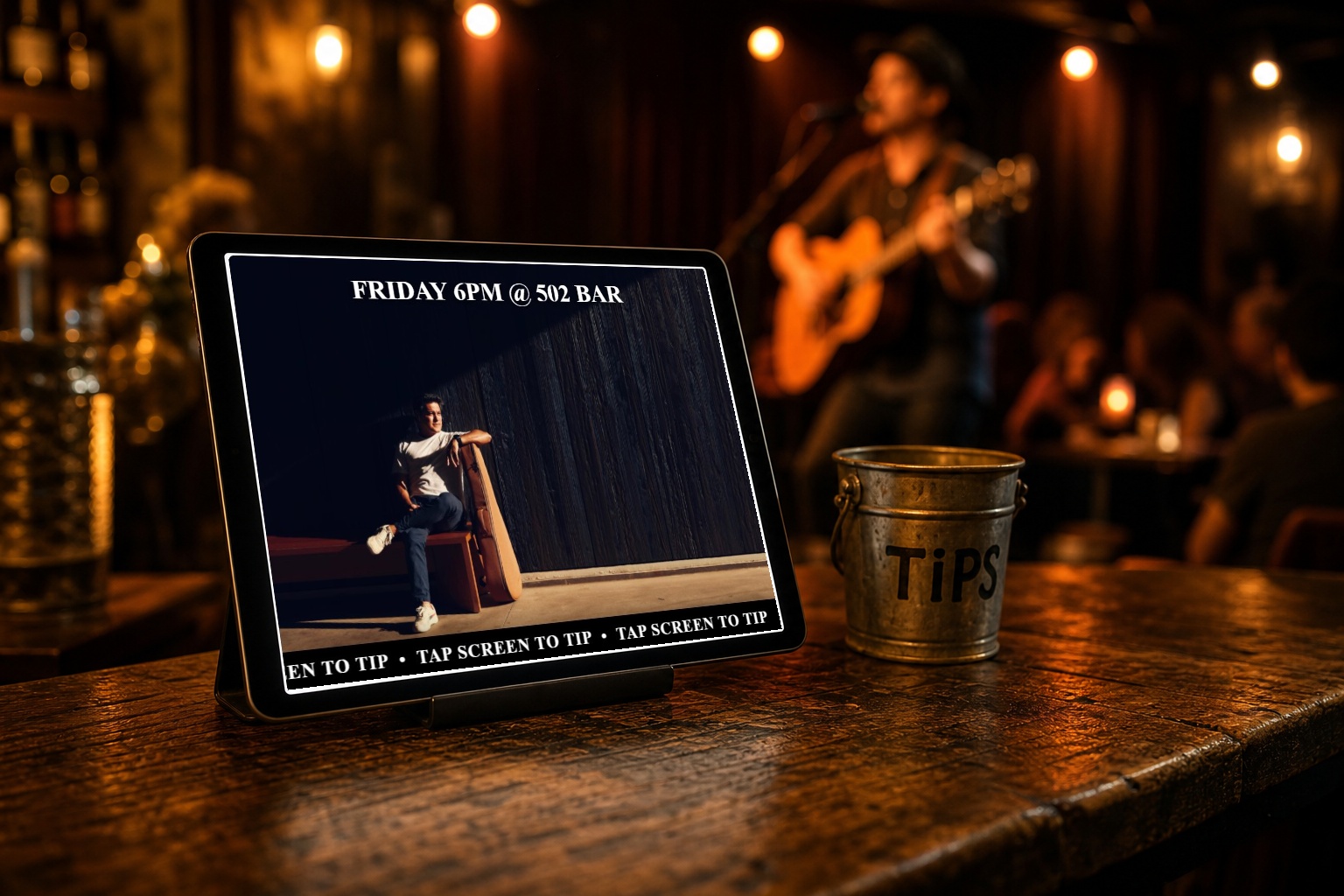
Prop up any tablet, run your slideshow, and let the Tap to Tip bar do the asking for you.
If you play live, you already know the awkward dance: you want to remind people they can tip, but you don’t want to nag from the mic every other song. The Digital Tip Station in Gig Portal solves that quietly and continuously. It runs a beautiful, full-screen slideshow of your photos, videos, reviews, and tip requests—and a scrolling “Tap to Tip” bar invites fans to support you the second they feel the urge.
This guide walks through what a Digital Tip Station is, why it converts better than a bucket, and exactly how to set one up before your next show.
What Is a Digital Tip Station?
A Digital Tip Station is a full-screen kiosk that you run on any iPad or tablet. You prop it up on your merch table, at the front of the stage, or by the door, and it loops through a slideshow you control from your Gig Portal dashboard. Along the bottom sits a bright, scrolling Tap to Tip bar.
When a fan taps the screen, they land on a clean tipping page with your Venmo and Cash App QR codes, plus an option to pay by card. After a short idle period it automatically returns to the slideshow, ready for the next person—no resetting, no babysitting.
- Slideshow content: photos, videos, reviews, and dedicated tip-request slides
- Tap to Tip bar: always-on, scrolling call to action with colors you choose
- Tip page: Venmo, Cash App, and card—whatever you’ve set up
- Hands-off: auto-returns to the slideshow when idle
Why a Digital Tip Jar Beats the Bucket
The physical tip jar isn’t dead—but it leaks money. Here is why a screen earns more:
- Nobody carries cash. A fan who loved your set but has an empty wallet will still tip in five seconds with Venmo or a card.
- It asks for you, all night. The scrolling bar is a polite, constant reminder so you don’t have to interrupt your set to mention tips.
- It looks professional. A glowing screen with your photos and five-star reviews signals you’re a serious act worth supporting.
- It doubles as a highlight reel. Between tips, fans are watching your best moments and reading your reviews—quietly selling future bookings and merch.
- It’s frictionless. Tap, scan, done. Less friction means more tips.
A real, running Tip Station—watch the slideshow rotate, then scan a Venmo or Cash App code or tap to pay by card.
What You Need to Get Started
The whole point is that you don’t need special hardware. If you have a tablet collecting dust, you’re most of the way there.
- Any iPad or tablet (an older one you no longer use is perfect)
- A simple tablet stand for your merch table or stage
- Your Venmo and/or Cash App usernames
- A few photos or short videos from your shows
- A Gig Portal account
Card tipping is optional. Cards are processed through Stripe, which charges standard processing fees on those transactions—Venmo and Cash App tips go straight to you.
How to Set Up Your Digital Tip Station
Setup lives entirely in your Gig Portal dashboard and takes just a few minutes.
1. Add your tip methods
In the dashboard, open the Tip Station settings and add your Venmo and Cash App usernames. Gig Portal turns them into scannable QR codes automatically. If you want to accept cards, enable card tipping there too.
2. Build your slideshow
Head to Digital Signage and create a new sign. Upload your best photos and videos, and add a QR Tips slide that displays your Venmo and Cash App codes on a sleek dark background. Mix in a few reviews to build instant credibility while the screen loops.
3. Customize the Tap to Tip bar
Set the scrolling bar’s message (the default is “Tap Screen To Tip”) and pick the bar color and text color so it matches your brand or the room you’re playing.
4. Launch it full-screen on your tablet
Open your sign’s player link on the iPad and add it to the home screen so it launches full-screen, like an app. Prop the tablet on its stand, and you’re live. When someone taps, they tip; when they walk away, it returns to the slideshow on its own.
Where to Place It for the Most Tips
- Merch table: fans already have their phones out when browsing shirts and CDs.
- Front of stage: within easy reach during and between songs.
- By the exit: catch the “that was great, I should tip” moment on the way out.
- Near the door at private events: weddings and corporate gigs where guests want to show appreciation.
Wherever you place it, keep the screen at eye level and the brightness up. A bright, moving screen does the work of catching attention so you can focus on the show.
Make Every Gig Pay a Little More
Tips add up. A handful of $5 and $10 taps a night across a month of shows is real money you’re likely leaving on the table with a cash-only bucket. The Digital Tip Station captures the fans who want to support you but simply don’t carry cash anymore—which today is almost everyone.
Even better, it runs on hardware you already own and lives inside the same dashboard you use to manage bookings, your events calendar, reviews, and social posts. One login, one place to run the business side of your act.
Ready to try it? Start a free 14-day trial of Gig Portal, build your first sign, and turn that spare tablet into a tip jar before your next gig.
Turn Your Tablet Into a Tip Jar
Run a full-screen slideshow with a scrolling Tap to Tip bar that takes Venmo, Cash App, and card tips. Start a 14-Day Free Trial—no credit card required.
14-Day Free Trial